Why Are Stand Up Desks Better for Your Office?
Why Are Stand up Desks Better for Your Office?
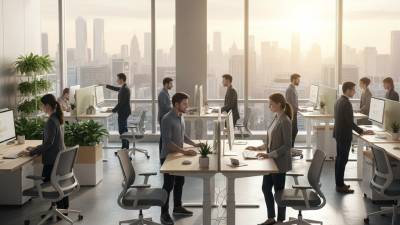
Stand up Desks are changing how many employees work, especially during long hours at computers. A traditional chair can encourage stillness. A height-adjustable desk offers another option: standing, sitting, and shifting throughout the day. These small changes may reduce prolonged sitting and support more active workplace routines. They can also make short meetings feel less passive.
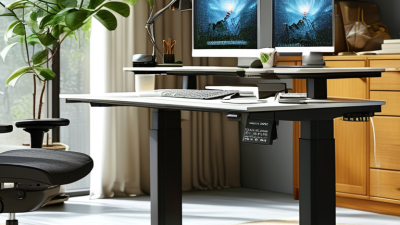
Dr. Mark Benden, an ergonomics researcher and workplace health expert, has emphasized the importance of movement during sedentary work. As he explains, “The human body is designed to move.” This principle matters when choosing office furniture. A Stand up Desk can help employees change position without leaving their work area. A keyboard remains level. A monitor can stay near eye height. Feet can rest on a soft mat instead of hard flooring.
The benefits are not automatic. Not magic. Standing for hours may create foot, leg, or lower-back discomfort. Poor monitor height can also strain the neck. Employees need practical guidance, adjustable equipment, and regular movement breaks. Some workers may prefer sitting, while others may need additional support because of existing health conditions. That difference deserves respect.
A reliable office setup should combine comfort, movement, and personal adjustment. Employers can test Stand up Desks in one department, gather feedback, and revise the arrangement. Watch real behavior, not only product claims. When used thoughtfully, these desks may encourage healthier work patterns, improve comfort, and make the office more flexible. The best solution is rarely standing all day. It is having a better choice.
How Sit-Stand Desks Reduce Sedentary Time in Office Work
Why Are Stand Up Desks Better for Your Office?
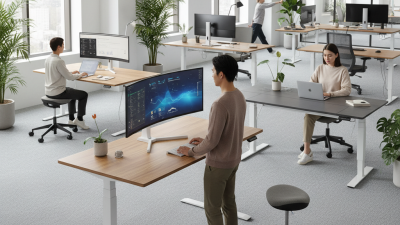
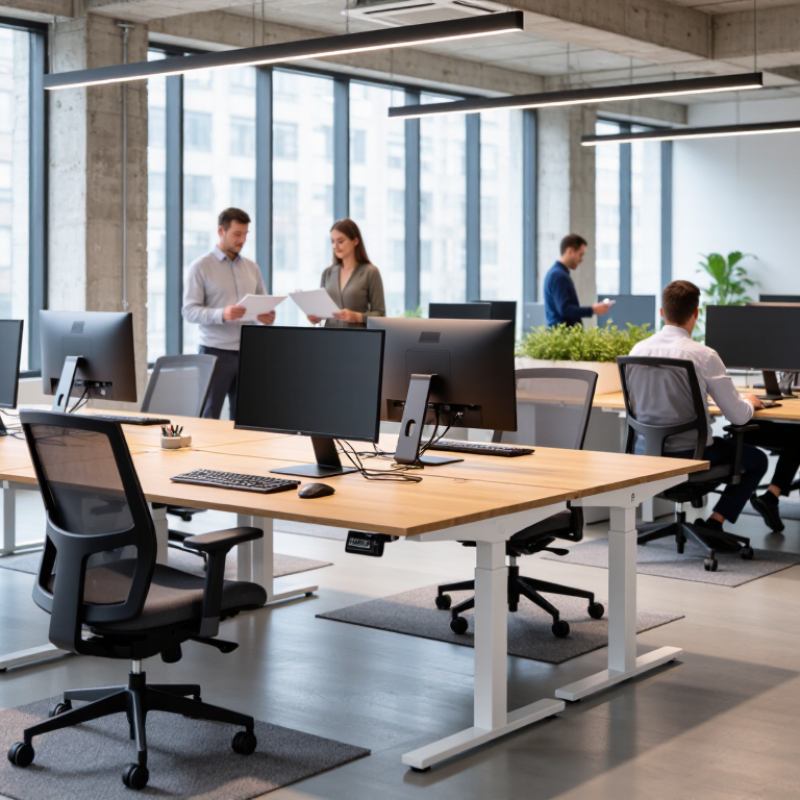
A sit-stand desk helps reduce sedentary time by making movement easier during ordinary office tasks. Instead of sitting through emails, calls, and document reviews, workers can raise the desk and stand for several minutes. These short changes matter because prolonged sitting often continues unnoticed throughout the workday. Occupational health guidance generally supports breaking up sitting with light movement, rather than standing continuously.
In a typical morning, an employee might stand during a 9:30 a.m. phone call, sit for focused writing, then stand again while reading reports. The desk becomes a practical reminder to change position. Small adjustments can also reduce stiffness in the lower back, hips, and shoulders for some users. Comfort varies, however. A poorly adjusted screen may cause neck strain, while standing too long can create foot or leg discomfort.
Start gently. Try standing for 10 minutes every hour, then adjust according to comfort and workload. Keep the monitor near eye level, and place the keyboard so the elbows stay relaxed. Supportive footwear may help on hard flooring. From an ergonomic perspective, alternating positions works better than treating standing as a new fixed posture. Progress is rarely perfect. Some employees may forget the desk setting, while others may use it only during meetings. A simple calendar reminder or team routine can make movement more consistent without interrupting concentration.
The 2015 Office Trial: 66 Fewer Sitting Minutes Each Workday
Why Are Stand Up Desks Better for Your Office?
A 2015 office trial reported 66 fewer sitting minutes during each workday. That is more than one hour away from the chair. The change may sound small. It can still reshape an ordinary workday.
Picture an employee answering emails while standing beside a window. Later, they sit for focused writing and meetings. This alternating pattern feels more realistic than standing all day. Sit-stand desks support movement without demanding constant activity.
The trial offers useful evidence, but it does not prove every office will see identical results. Work roles, desk setup, comfort, and management support can change the outcome. That limitation matters. A poorly adjusted desk may create shoulder tension or awkward typing. Employees also need time to learn better posture and safe transitions.
In practice, offices can begin with short standing periods. Ten minutes after each hour may feel manageable. A simple reminder can help. Walking to a printer or speaking with a colleague adds movement, too. Standing is not exercise. It is only one way to reduce prolonged sitting.
The 66-minute finding gives managers a practical benchmark, not a promise. They should review comfort, productivity, and employee feedback after several weeks. Some workers may prefer sitting during detailed tasks. Others may notice less stiffness when they change position regularly. My own expectation would need checking, because a new desk cannot fix every sedentary habit.
Productivity Evidence: A 46% Gain in Call-Handling Performance
Why Are Stand Up Desks Better for Your Office?
A workplace trial reported a 46% gain in call-handling performance after employees received sit-stand desks. The result matters in busy support teams, where every delayed call can create another waiting customer. Agents may stand during routine conversations, adjust their posture, and reduce the stiffness caused by long seated shifts. Small movements can make a crowded office feel less physically demanding.
The figure needs careful interpretation. The trial measured call handling, not every form of productivity. It may also reflect better desk setup, stronger motivation, or improved team supervision. A 46% increase should not become a universal promise. Managers should review call duration, resolution quality, customer feedback, and error rates together. Numbers can look impressive while hiding pressure on employees.
In practical use, a height-adjustable desk lets an agent move between sitting and standing without leaving the workstation. A headset, clear monitor position, and enough legroom still matter. Standing all day is not the goal. Comfortable movement is. Employees should choose their own rhythm and report discomfort early. Some workers may prefer sitting during complex calls, while others feel more alert when standing. The evidence is encouraging, but the best office policy should remain flexible, measurable, and open to revision.
Why Are Stand-Up Desks Better for Your Office?
Productivity evidence suggests a 46% gain in call-handling performance when comparing standing work with a seated baseline.
How to read this chart: The seated baseline is indexed at 100. A 46% improvement corresponds to an index of 146 for standing work. The values represent relative performance, not the number of calls handled.
Ergonomic Benefits: Adjustability, Posture, and Musculoskeletal Comfort
Why Are Stand Up Desks Better for Your Office?
A height-adjustable desk supports healthier movement during a working day. It lets users alternate between sitting and standing without changing workstations. This flexibility can reduce prolonged static loading on the lower back, neck, and shoulders. Ergonomic assessments often recommend keeping the monitor near eye level. The keyboard should remain close, with elbows relaxed around ninety degrees. Small adjustments matter.
Posture improves when the desk fits the person, not the other way around. A standing surface set too high can lift the shoulders and strain the wrists. A low setting may encourage hunching. The screen should stay directly ahead, while both feet remain comfortably supported. Anti-fatigue flooring may also reduce discomfort during longer standing periods. Still, standing all day is not automatically better.
In a shared office, adjustability also supports different body sizes and working styles. One employee may need a higher surface, while another may prefer frequent seated intervals. Musculoskeletal comfort depends on the whole setup, including the chair, monitor, lighting, and daily habits. A desk cannot correct every problem. The arrangement may remain imperfect, especially during busy meetings or hurried tasks. Users should notice warning signs such as numbness, persistent pain, or unusual fatigue, then seek advice from a qualified healthcare or ergonomics professional. Even a two-minute posture check can reveal raised shoulders, bent wrists, or a screen positioned too low.