Choosing the right chair for your business is not a minor purchasing decision. It affects comfort, posture, productivity, and the impression visitors receive.
Dr. Alan Hedge, a respected ergonomics researcher and professor emeritus at Cornell University, often emphasized, “The best posture is the next posture.” This principle matters in offices, reception areas, studios, clinics, and meeting rooms. A suitable chair should support movement rather than force employees into one rigid position. Look for adjustable seat height, reliable lumbar support, breathable materials, and a base that moves smoothly across the floor.
Comfort is measurable. An employee should sit with both feet supported, relaxed shoulders, and enough space behind the knees. A desk chair that feels soft for five minutes may become uncomfortable after three hours. Test it longer.
Business needs differ. A drafting chair may suit an architect, while a stackable chair may serve a training room better. In a reception area, durability and appearance must work together. Fabric samples, weight limits, cleaning requirements, and warranty terms deserve careful attention.
Do not choose by appearance alone.
My own evaluation would begin with real users, not a showroom photograph. Ask employees where pressure builds during a normal workday. Watch how they adjust the chair. That evidence may reveal problems that specifications miss.
The right chair balances human comfort, operational demands, and long-term value. There is no universal winner. A thoughtful decision may still require revision after installation, because real working habits are often less predictable than purchasing plans.
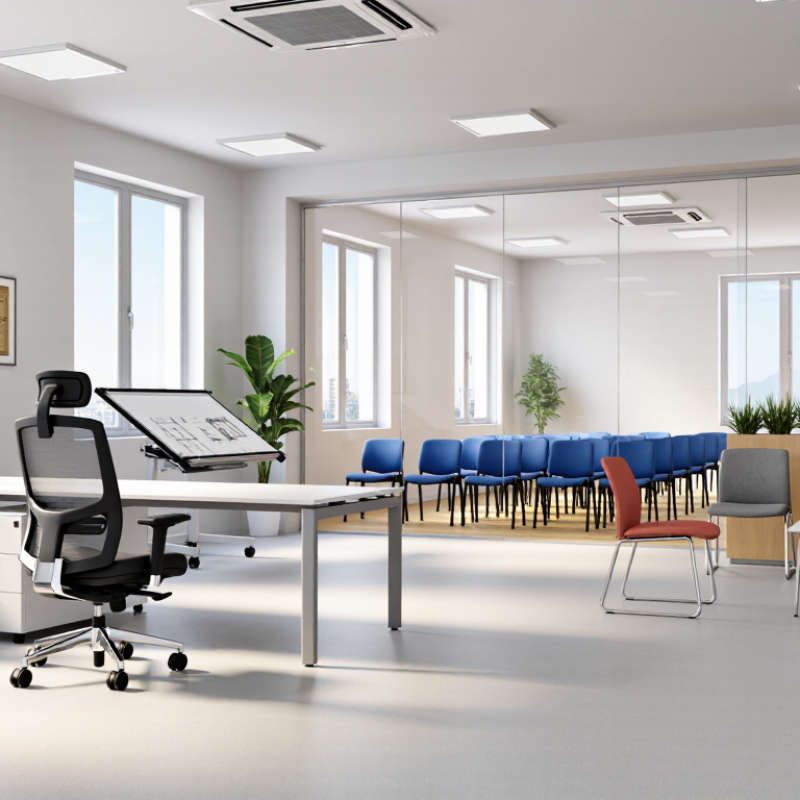
How to Choose the Right Chair for Your Business
Define Business Needs: 8-Hour Duty Cycles, Users, Space, and Budget
A chair for an eight-hour duty cycle needs more than attractive padding. Daily keyboard work, calls, and repeated standing place stress on the seat, backrest, and adjustment controls. Look for adjustable seat height, firm lumbar support, breathable material, and stable casters. Test it for a full shift when possible. Ten minutes is not enough.
Users also shape the decision. A shared office may need a wide adjustment range for different heights and leg lengths. A reception area may prioritize easy cleaning and a polished appearance. For employees with different physical needs, check whether armrests, seat depth, and back tension can be adjusted independently. Ask workers what causes discomfort. Their feedback may reveal problems that a product sheet misses.
Measure the room before ordering. Record desk height, aisle width, floor type, and clearance behind each chair. A large model can block a drawer or narrow an emergency route. Budget for delivery, assembly, maintenance, and replacement parts, not only the purchase price. A cheaper chair may become expensive when controls fail early. Still, a high price does not guarantee comfort. No checklist is perfect. Trial several chairs, document the results, and revise the selection when real use exposes weaknesses.
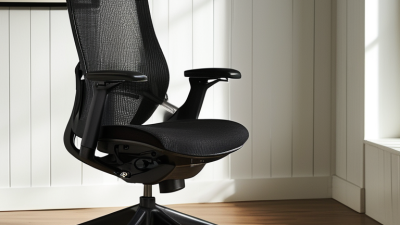
Choosing the right business chair starts with the angle between your torso and thighs. OSHA workstation guidance commonly uses a 90° to 120° hip angle as a practical ergonomic range.
This angle should feel open, not forced. Sit with your back supported and both feet flat on the floor. Your knees should remain level with, or slightly below, your hips. A seat that is too low can tighten the hips. A seat that is too high may leave your feet dangling, increasing pressure beneath the thighs.
Check the position from the side. A coworker can observe your posture while you type, answer calls, or review documents. Adjust the seat height first, then the backrest and desk position. Leave two or three fingers of space behind your knees. Small changes matter. In workplace assessments, I have seen employees raise their chairs to match a desk, then lose foot support. A footrest can correct that problem, although it is not a substitute for a suitable chair.
The 90° to 120° range is a guide, not a rigid target for every body. Height, mobility, clothing, and task demands can change the best position. I once treated the angle as the main answer and overlooked arm tension. That was a useful mistake. Watch for numbness, hip pressure, or shoulder fatigue during a full workday. Persistent discomfort deserves qualified professional evaluation.
| Ergonomic Dimension | Recommended Target | Why It Matters | Practical Chair Feature | Simple Fit Check |
|---|---|---|---|---|
| Hip angle | Approximately 90°–120° between the torso and thighs | Supports a neutral seated posture and helps avoid excessive compression at the hips. | Adjustable seat height and a backrest that supports a slightly reclined posture | Sit with the back supported; the hip angle should fall within the target range without forcing the pelvis forward. |
| Seat height | Feet flat on the floor; knees approximately level with or slightly lower than the hips | Reduces pressure under the thighs and promotes stable lower-body support. | Pneumatic height adjustment with a broad usable range | Lower or raise the seat until the soles of both feet rest fully on the floor and the knees are close to a right angle. |
| Knee angle | Approximately 90° or greater, without restricting circulation | Helps prevent excessive pressure behind the knees and supports comfortable leg positioning. | Adjustable height and a waterfall-style front seat edge | Place two to three fingers of space between the seat edge and the back of the knees. |
| Seat depth | Seat pan should support most of the thighs while leaving clearance behind the knees | Balances thigh support with reduced contact pressure at the knee crease. | Sliding or adjustable seat pan | When seated against the backrest, maintain approximately 5–8 cm of clearance behind each knee. |
| Lumbar support | Support the natural inward curve of the lower back | Encourages neutral spinal alignment and reduces the need to slump forward. | Height- and depth-adjustable lumbar support | Adjust the support until it fills the lower-back curve without pushing the torso forward. |
| Backrest recline | Allow a supported recline rather than requiring a rigid upright position | A modest recline can reduce static loading on the back while maintaining task visibility. | Lockable or tension-adjustable reclining backrest | The backrest should support the torso during work without requiring the user to lean forward continuously. |
| Armrest position | Shoulders relaxed; elbows close to the torso and near a 90° angle for supported tasks | Limits shoulder elevation and reduces unnecessary arm and neck tension. | Height- and width-adjustable armrests, or removable armrests | Armrests should support the forearms without lifting the shoulders or blocking access to the desk. |
| Seat width | Wide enough for unrestricted posture changes and normal work clothing | Prevents contact pressure and allows the user to sit centered with adequate lateral room. | A seat pan that accommodates the workforce, with no intrusive side bolsters | The user should sit fully on the seat without hip contact against the sides. |
| Workstation compatibility | Chair, desk, keyboard, and monitor should be adjustable as a system | A well-adjusted chair cannot fully correct a desk or monitor that forces awkward reaching or neck flexion. | Adjustable desk height, keyboard support, and monitor positioning | After adjusting the chair, confirm that the keyboard and monitor can be used with relaxed shoulders and a neutral head position. |
| User fit and adjustability | Provide independent adjustments for different body sizes and job tasks | A shared workplace needs chairs that can be configured for individual users rather than relying on one fixed posture. | Clearly marked, easy-to-reach controls and a user-adjustment guide | Test the chair with representative users and record the settings that provide comfortable support. |
Note: The 90°–120° hip-angle range is an ergonomic target, not a requirement to maintain one fixed posture. Users should be able to change position regularly, and chair dimensions should be evaluated against individual body size, task demands, and workstation height.
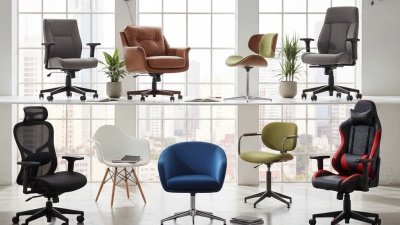
Choosing the right business chair starts with the work, not the room’s decoration. In office assessments, I look at movement, sitting time, desk height, and user turnover. A task chair suits employees who type, review documents, or attend long calls. Adjustable seat depth, lumbar support, and armrests can reduce awkward reaching. Test the controls in person. A chair that looks adjustable may still feel confusing.
Guest chairs need stability, easy cleaning, and enough comfort for shorter visits. For reception areas, a firm seat can help visitors stand easily. Stools work well at counters, laboratories, and high collaboration tables. Choose a foot ring and a seat height that leaves knees level with the work surface. An unsuitable stool quickly creates pressure behind the thighs.
Executive chairs offer broader cushions and a formal appearance, but extra padding does not guarantee healthy posture. Sit-stand models encourage position changes, yet standing all day is not the goal. Alternate between sitting, standing, and short walks. Measure the desk before purchasing; a tall chair may force the shoulders upward. I once focused too heavily on appearance and overlooked cleaning access beneath the seat. That mistake changed my evaluation checklist. Comfort still requires personal testing. One perfect model does not exist.
How to Choose the Right Chair for Your Business
A safe office chair should withstand real working conditions, not just look attractive online. ANSI/BIFMA X5.1 includes performance and safety tests for office chairs, including testing based on a 275-pound user load. This requirement examines areas such as seat strength, backrest durability, stability, and caster performance. It is not a simple comfort rating.
Ask the supplier for clear test reports. Check the standard’s edition, testing laboratory, chair model, and tested configuration. A report for one version may not cover another version with different arms, bases, or mechanisms. That detail is easy to miss. Very easy.
During a workplace inspection, examine the five-star base, casters, fasteners, and adjustment controls. Look for smooth movement and unwanted rocking. Sit in the chair and shift your weight carefully. Listen for cracking, clicking, or sudden height changes. These small signs deserve attention.
The 275-pound test does not mean every chair suits every employee or environment. Real users may lean back repeatedly, move across uneven flooring, or remain seated for long hours. Those conditions can expose weaknesses that a laboratory test cannot represent. I would also check the chair’s warranty, maintenance guidance, and replacement-part availability. Certification supports a purchasing decision, but it should not replace practical evaluation. A chair can pass a test and still feel wrong at a busy workstation.
How to Choose the Right Chair for Your Business
Price is only the first line. Calculate the five-year cost per chair before approving a purchase. Include purchase price, delivery, warranty coverage, maintenance labor, cleaning supplies, and replacement units. A simple formula helps: total cost divided by expected service years, then divided by annual user hours.
Warranty terms need careful reading. Check coverage for casters, gas lifts, fabric, and armrests. Exclusions can create unpleasant surprises. ANSI/BIFMA X5.1 testing includes 100,000 durability cycles for general-purpose office chairs, but testing is not the same as guaranteed lifespan. In purchasing reviews, I would record failure dates and repair invoices. That evidence is more useful than a confident sales estimate.
Cleaning also affects replacement rates. Specify stain resistance, removable components, and approved cleaning methods. Aggressive chemicals may damage finishes and void coverage. The U.S. Bureau of Labor Statistics reported a 12-day median absence for sprains and strains in 2023. OSHA links musculoskeletal disorders with roughly one-third of workers’ compensation costs. A chair that reduces discomfort may protect productivity, though the exact financial return is difficult to isolate. My spreadsheet once ignored technician travel time. That was a mistake. Include it, along with loaner chairs, disposal fees, downtime, and storage. Review the numbers every six months, because actual replacement patterns may challenge the original forecast.
Calculate the five-year total cost of ownership by considering the purchase price, warranty-related maintenance, routine cleaning, and replacement allowance.
Planning estimates are shown in USD per chair. The comparison assumes regular commercial use, scheduled cleaning, warranty coverage for eligible defects, and replacement when a chair reaches the end of its useful service life.