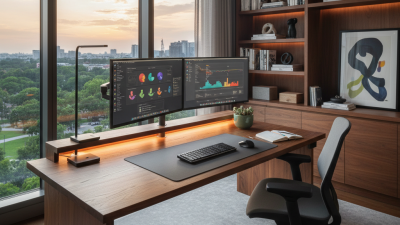
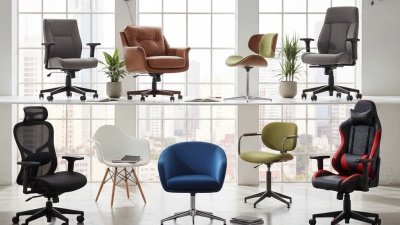
Choosing the right Computer Desk can change how your workspace feels, functions, and supports your daily concentration. A suitable desk gives your monitor a stable position, keeps cables controlled, and leaves enough room for writing, charging, and movement. It can also reduce small frustrations, such as reaching across a keyboard or balancing a notebook beside a mouse. These details seem minor. They accumulate during long workdays.
Ergonomics expert Dr. Alan Hedge often emphasized, “The best posture is the next posture.” His observation explains why a Computer Desk should support movement rather than force one fixed position. A desk with adjustable height can help you alternate between sitting and standing. A deep surface can keep the screen at a comfortable distance, while a separate monitor stand may prevent neck strain. Rounded edges and a strong frame add practical comfort, especially when your arms rest near the front edge.
Still, a desk cannot solve every workspace problem. A costly model may look impressive but feel cramped after one week. I have found that measuring the room first is more useful than trusting product photographs. Check the chair clearance, door swing, wall outlets, and legroom. Leave space for imperfect habits, too. You may stack papers, move a lamp, or eat beside the keyboard. A thoughtful Computer Desk accommodates real behavior, not an idealized photograph. That balance makes it a dependable foundation for focused, flexible work.
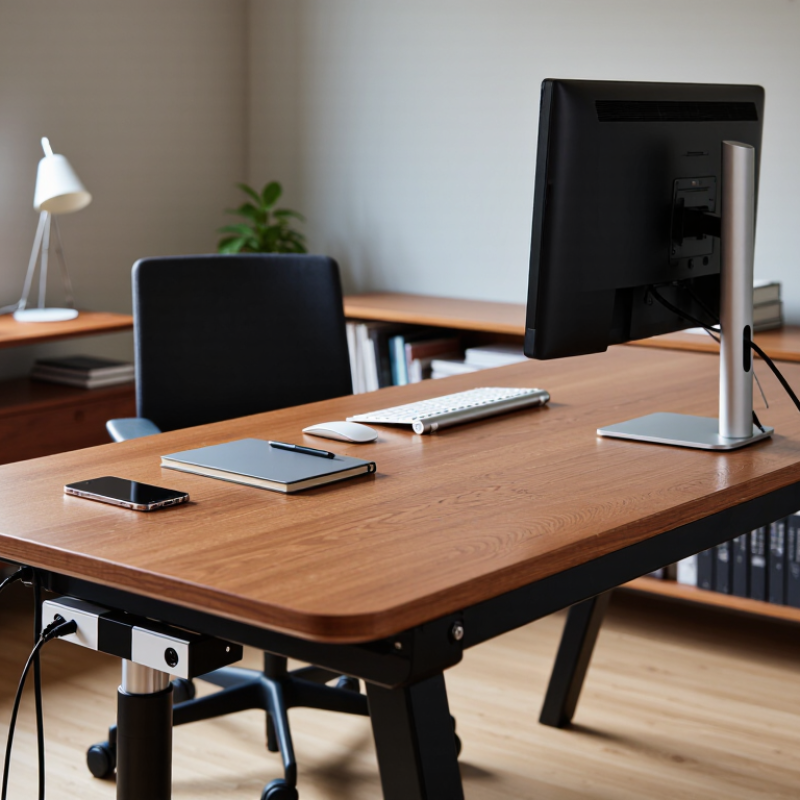
A computer desk is the basic platform for a functional workspace. Its role is not merely to hold a screen, keyboard, and coffee. A suitable desk supports neutral posture, clear movement, and consistent work habits. The U.S. Occupational Safety and Health Administration recommends placing the monitor near eye level and keeping it roughly 20 to 28 inches away. These small measurements matter when your shoulders stay tense for eight hours.
Desk selection also connects with broader workplace health. The WHO and ILO Joint Estimates linked work-related factors to 1.9 million deaths globally in 2016. That figure covers many hazards, not desks alone. However, it shows why daily working conditions deserve careful attention. The U.S. Bureau of Labor Statistics recorded about 2.6 million nonfatal workplace injuries and illnesses in 2023. A poorly planned workstation may not cause every problem, but it can encourage repeated strain.
A practical computer desk should provide enough depth for the monitor, writing space, and forearm support. Adjustable height can help different users change position during the day. Cable openings also prevent wires from crossing your knees or collecting beside your feet. I still find that perfect posture is difficult to maintain. The desk helps, but it cannot replace movement. Stand briefly. Reset the screen. Leave room for real work, not decoration.

Why Choose a Computer Desk for Your Workspace?
A computer desk addresses practical workspace needs, not just appearance. The U.S. Bureau of Labor Statistics reported that 35% of employed people worked at home on days worked in 2023. That number shows why home workstations need deliberate planning.
A suitable desk creates space for a monitor, keyboard, documents, and charging devices. It can also keep cables away from your feet and reduce visual clutter. OSHA’s computer workstation guidance recommends placing the monitor near eye level and keeping frequently used items within easy reach. A desk with enough depth supports this arrangement without forcing your shoulders forward. I have found that small details matter, especially when work continues for several hours. Still, a desk alone cannot correct every posture problem.
Tips: Measure your available wall space first. Leave room for your chair to move. Choose a surface at least wide enough for your monitor and keyboard. Check legroom before buying. Adjustable height can help different users, but it may add cost and complexity.
The National Institute for Occupational Safety and Health links prolonged computer work with discomfort risks involving the neck, shoulders, and back. A computer desk can support healthier habits when paired with regular movement and screen breaks. I sometimes underestimate the value of empty surface area; crowded desks encourage awkward reaching. That is an easy mistake to repeat. A dependable workspace should accommodate real tools, changing tasks, and the occasional imperfect day.
A computer desk can address essential workspace needs by providing suitable room for equipment, comfortable working height, and enough clearance for an ergonomic setup.
The chart shows commonly recommended ergonomic dimensions in centimeters: desk height, desk depth, desk width, and monitor viewing distance. Actual requirements may vary depending on the user, equipment, and workspace.
Why Choose a Computer Desk for Your Workspace?
Key Features for Comfort, Organization, and Productivity
A computer desk should support your body before it supports your screen. Choose a height that keeps your elbows near a 90-degree angle while typing. Your monitor should sit roughly at eye level, reducing repeated neck bending during long sessions. A spacious surface also lets your keyboard, notebook, and water bottle stay within easy reach. Small changes matter.
I once used a narrow table with a deep drawer beneath it. My knees kept touching the drawer, and I shifted constantly. That experience taught me to check legroom before judging appearance. Look for open space under the desk, stable legs, and enough depth for your monitor without crowding your hands. Rounded edges can improve comfort, especially during extended work.
Organization affects productivity in quiet ways. Cable openings, a rear tray, or a small side shelf can prevent wires from spreading across the floor. Keep frequently used tools nearby, but leave part of the surface clear for focused tasks. A desk that feels orderly may reduce visual distractions, although this is not a cure for every concentration problem. I still collect unnecessary items during busy weeks. Regularly removing them helps restore usable space.
Choose durable materials and inspect how the frame joins the desktop. A slight wobble becomes surprisingly irritating when writing or clicking. Adjustable feet can help on uneven floors, but they cannot fix weak construction. Measure your room, chair, and equipment first. A beautiful desk can still fail if it blocks a drawer or leaves no walking space.
Why Choose a Computer Desk for Your Workspace?
How to Choose the Right Computer Desk for Your Setup
Choosing a computer desk starts with your actual equipment, not an attractive photograph. Measure your monitor, keyboard, speakers, and computer tower before shopping. Leave at least 10 centimeters behind the screen for cable movement and ventilation. A desk around 120 centimeters wide suits one monitor and basic accessories. Dual monitors usually need more room.
Height matters just as much. Your elbows should rest near a 90-degree angle while typing. Your eyes should meet the upper third of the screen. Adjustable legs can help, especially when several people use the same workspace. I once chose a beautiful desk that was too high. My shoulders felt tight after long writing sessions. It looked right, but it worked poorly.
Check the desk’s weight capacity and surface material. A solid, stable top reduces screen movement during typing. Cable openings can prevent wires from hanging across the floor. Drawers are useful, but they may reduce legroom. Test that space before deciding. A shallow desk can save room, yet it may force the monitor too close. That is easy to overlook. Consider lighting as well. Place the screen away from direct window glare, and keep enough space for a small lamp. Your setup should support movement, cleaning, and future equipment changes. You may not get every measurement perfect. Adjustability leaves room for that mistake.
A computer desk can make a workspace feel calmer, safer, and easier to use. Its size should match your equipment and daily habits. Measure the monitor, keyboard, speakers, and writing area before shopping. Leave extra space for movement, not just today’s devices. A desk that fits perfectly now may feel cramped after one upgrade.
Depth matters more than many people expect. Your screen should sit far enough away for comfortable viewing, while your arms rest naturally near the keyboard. Height also affects posture. Your elbows should stay close to a right angle, with your feet supported by the floor. I once selected a beautiful desk with limited legroom. It looked efficient, but my knees often touched the drawers. That choice was not ideal.
Material affects stability, maintenance, and comfort. Solid wood can feel warm and durable, while engineered surfaces may offer consistent shapes and easier cleaning. Metal frames can improve support, but they may feel cold in a home office. Check edge finishing, cable openings, and resistance to scratches. Placement matters too. Keep the desk near natural light, but avoid direct glare on the screen. Leave walking space behind the chair. Small details become noticeable during long work sessions.
Tips
Measure the room twice. Test sitting height before installation. Keep heavy equipment near the frame for better balance. Hide cables carefully, but do not block ventilation. Reconsider the layout after one week. Your first arrangement may look right and still feel wrong.
| Workspace Factor | Practical Guideline | Typical Measurement or Data | Why It Matters |
|---|---|---|---|
| Single-monitor workstation | Choose a compact rectangular desk for basic computing, writing, and study tasks. | 120–140 cm wide × 60–75 cm deep | Provides room for a monitor, keyboard, mouse, and frequently used accessories without taking over the room. |
| Dual-monitor workstation | Use a wider and deeper surface, especially when monitors are placed side by side. | 140–180 cm wide × 70–80 cm deep | Allows two screens, speakers, documents, and input devices to remain within a comfortable reach. |
| Laptop-focused desk | Select a smaller desk when the computer is portable and paper storage is limited. | 90–120 cm wide × 50–65 cm deep | Uses less floor space while still supporting a laptop, external keyboard, and notebook. |
| Desk height | Match the desk to the user’s seated posture and chair height. | About 70–76 cm for a fixed seated desk; adjustable desks commonly cover approximately 65–125 cm. | A suitable height helps keep the elbows near a right angle and the shoulders relaxed while typing. |
| Solid wood | Use when durability, repairability, and a natural appearance are priorities. | Often heavier than engineered panels; thickness commonly ranges from 18–30 mm. | It can provide a stable work surface, but it may cost more and requires protection from moisture and large humidity changes. |
| Engineered wood | Choose particleboard or medium-density fiberboard when affordability and consistent dimensions are important. | Common panel thickness: approximately 15–25 mm | It is usually uniform and economical, although edges and surfaces can be vulnerable to water or impact damage. |
| Metal frame | Use a steel or aluminum frame to support a wood, glass, or composite desktop. | Frame stability depends on leg geometry, cross-supports, fasteners, and total load. | A well-braced frame can reduce movement, while a lightweight or poorly supported frame may wobble. |
| Glass desktop | Consider tempered glass only when a clean appearance and easy surface cleaning are priorities. | Tempered safety glass is preferable to ordinary glass for desktop applications. | It resists surface staining, but fingerprints, glare, and the need for careful handling should be considered. |
| Monitor viewing distance | Place the screen far enough away to view text comfortably without leaning forward. | Commonly about 50–75 cm from the eyes, depending on screen size and text scaling. | Adequate depth supports a comfortable viewing position and leaves space for the keyboard and forearms. |
| Legroom | Keep the area beneath the desktop free from drawers, storage boxes, and structural obstructions. | Allow approximately 60 cm or more of clear width and about 45–60 cm of knee depth where possible. | Clearance allows the user to sit centrally and change leg position during longer work sessions. |
| Wall placement | Place the desk near a wall when cable management and maximum open floor space are priorities. | Keep approximately 5–10 cm behind the desk for cables and ventilation where practical. | A small rear gap helps prevent cable pinching and makes cleaning or maintenance easier. |
| Window and lighting placement | Position the monitor perpendicular to windows when possible. | Avoid placing the screen directly facing or directly behind a bright window. | This reduces reflections and strong contrast that can make the display harder to read. |
| Movement and access space | Leave enough room behind the chair and beside the desk for normal movement. | A clearance of approximately 75–90 cm behind a seated user is a practical planning target. | Adequate circulation space improves access, reduces collisions, and makes the workspace feel less confined. |
Measurements are practical planning ranges; the best desk size depends on the user, equipment, room dimensions, and required storage.